***Document Path:** Stock > Stock Reports > Stock Ledger*
- Stock Ledger Report is a detailed record that keeps **track of stock movements of inventorized Items** for a company. - Inward or outward transactions in a Warehouse are recorded in the report. In Qty shows quantity coming in, and Out Qty shows quantity issued out - You may click on **Voucher #** to open the document this transaction was recorded from, i.e. Stock Entry, Delivery Note and Stock Reconciliation [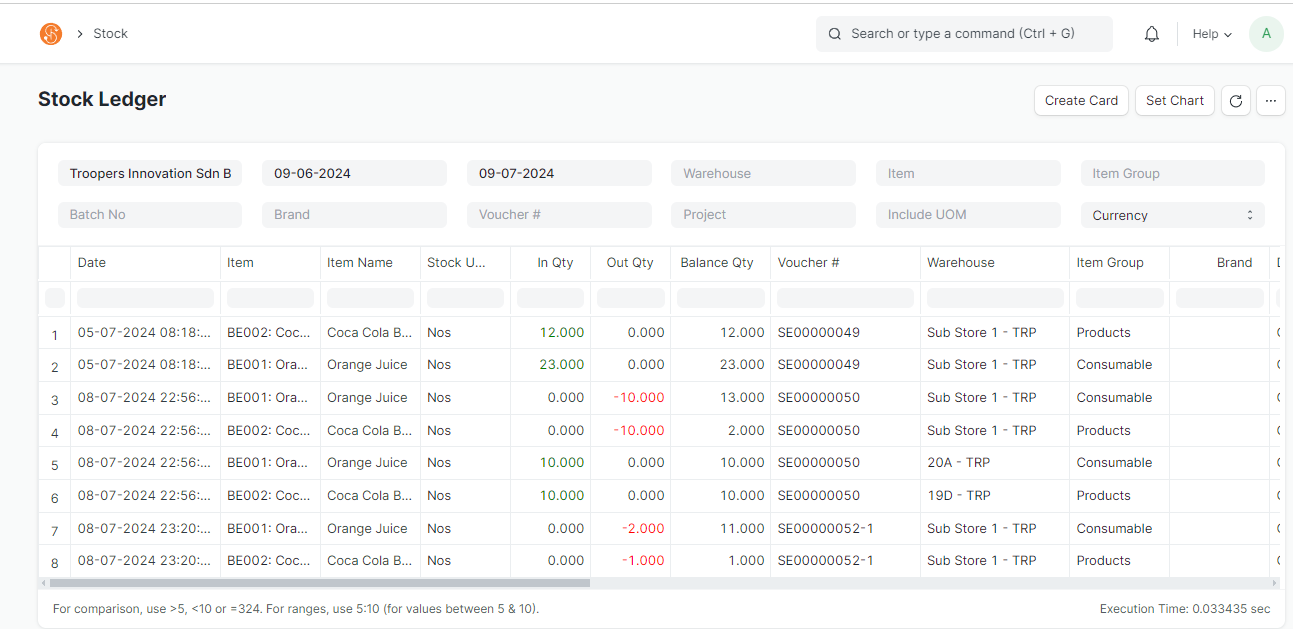](https://guides.smurps.com/uploads/images/gallery/2024-07/C7Uimage.png) - You may also filter according to the: - Transaction Date - Warehouse - Item Code - Item Group ##### Stock Ledger by Employee Report TRP***Document Path:** Stock > Stock Ledger by Employee Report TRP*
- Stock Ledger by Employee Report is a customize Stock Ledger Report that shows custom information for Troopers such as Customer, Project ID and Employee [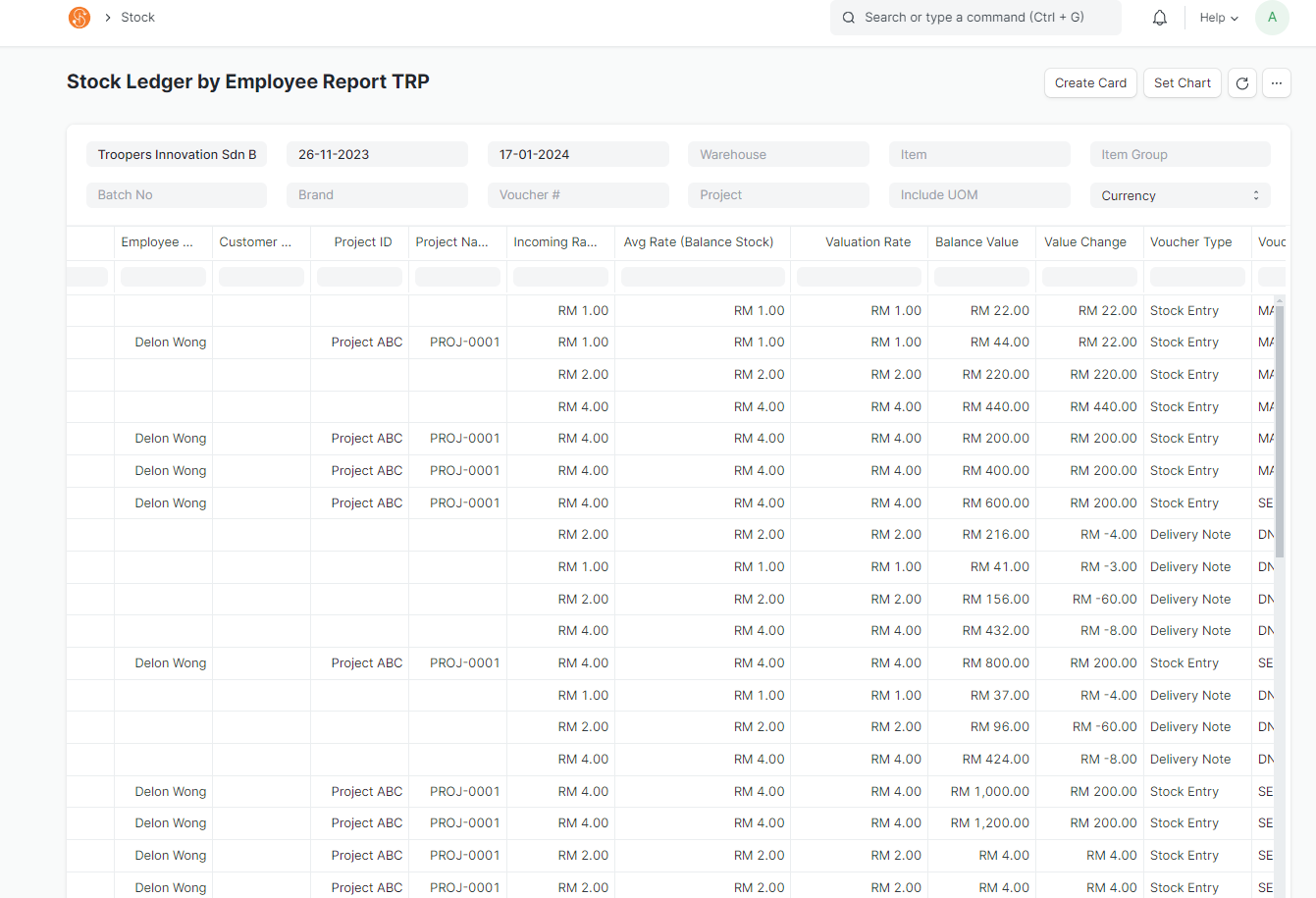](https://guides.smurps.com/uploads/images/gallery/2024-07/FHzimage.png) ##### Stock Balance***Document Path:** Stock > Stock Reports > Stock Balance*
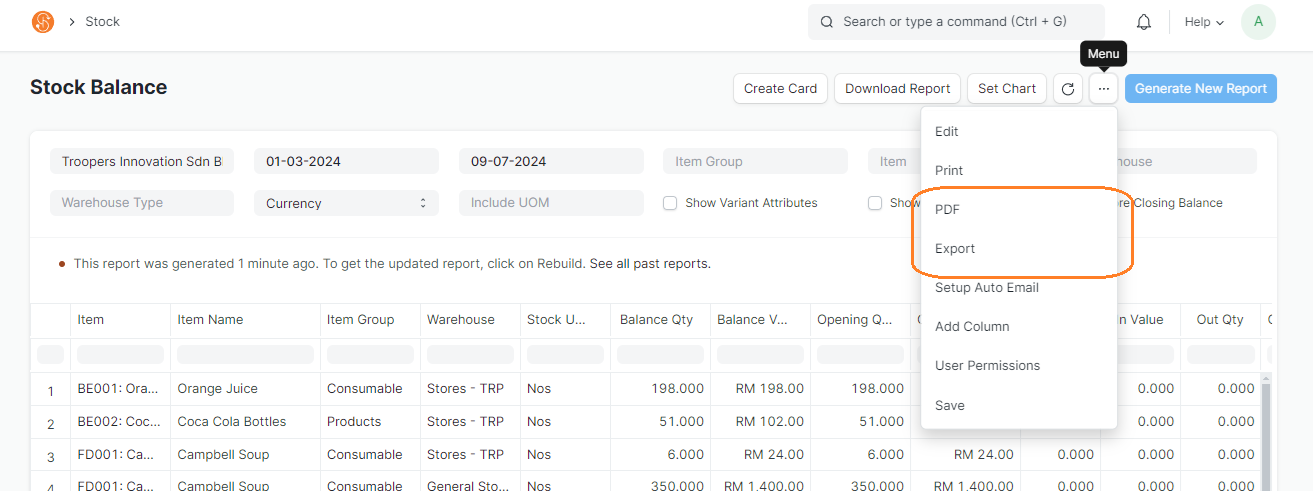
- Stock Balance report allows you to view the current stock balance quantity in a warehouse in the system - Click on **Generate New Report** to generate a report. You may filter the Stock Balance accordingly to Date, Item, Item Group and Warehouse [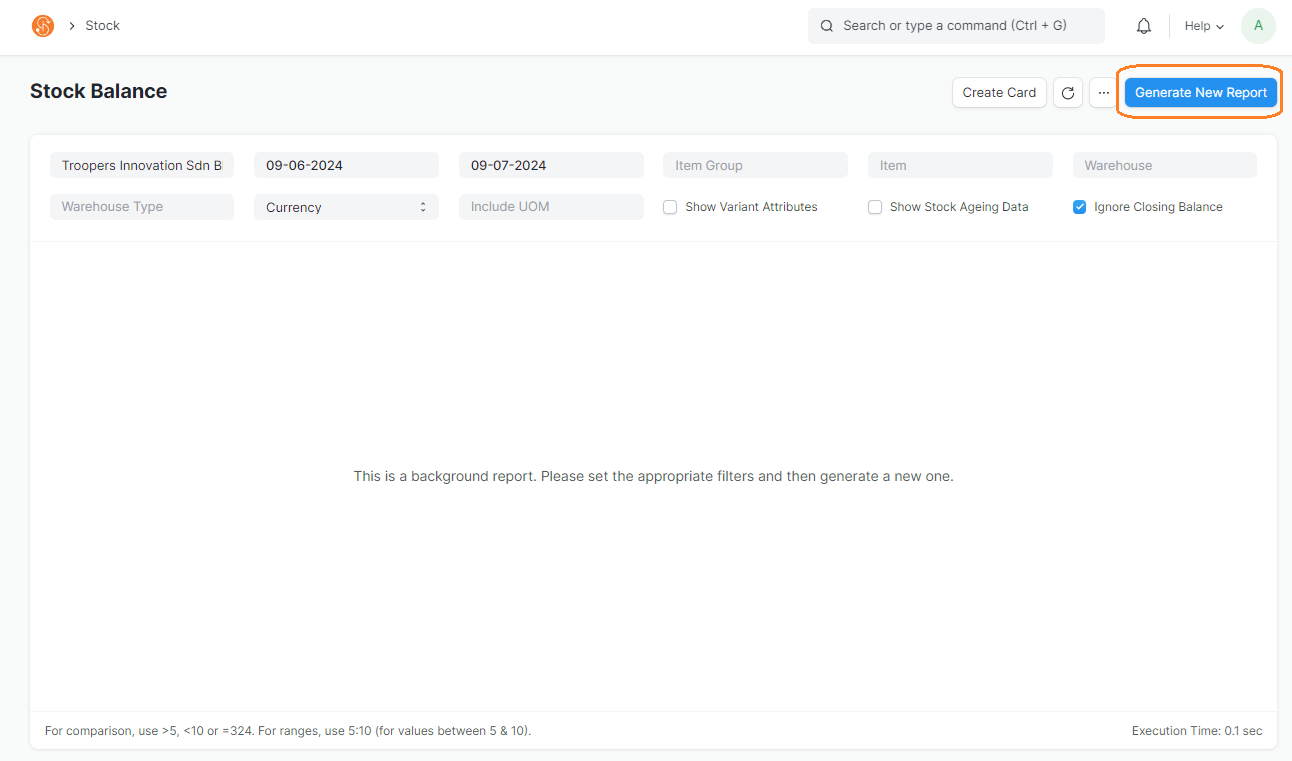](https://guides.smurps.com/uploads/images/gallery/2024-07/SIUimage.png) - To view the current inventory balance quantity, view the **Balance Qty** column [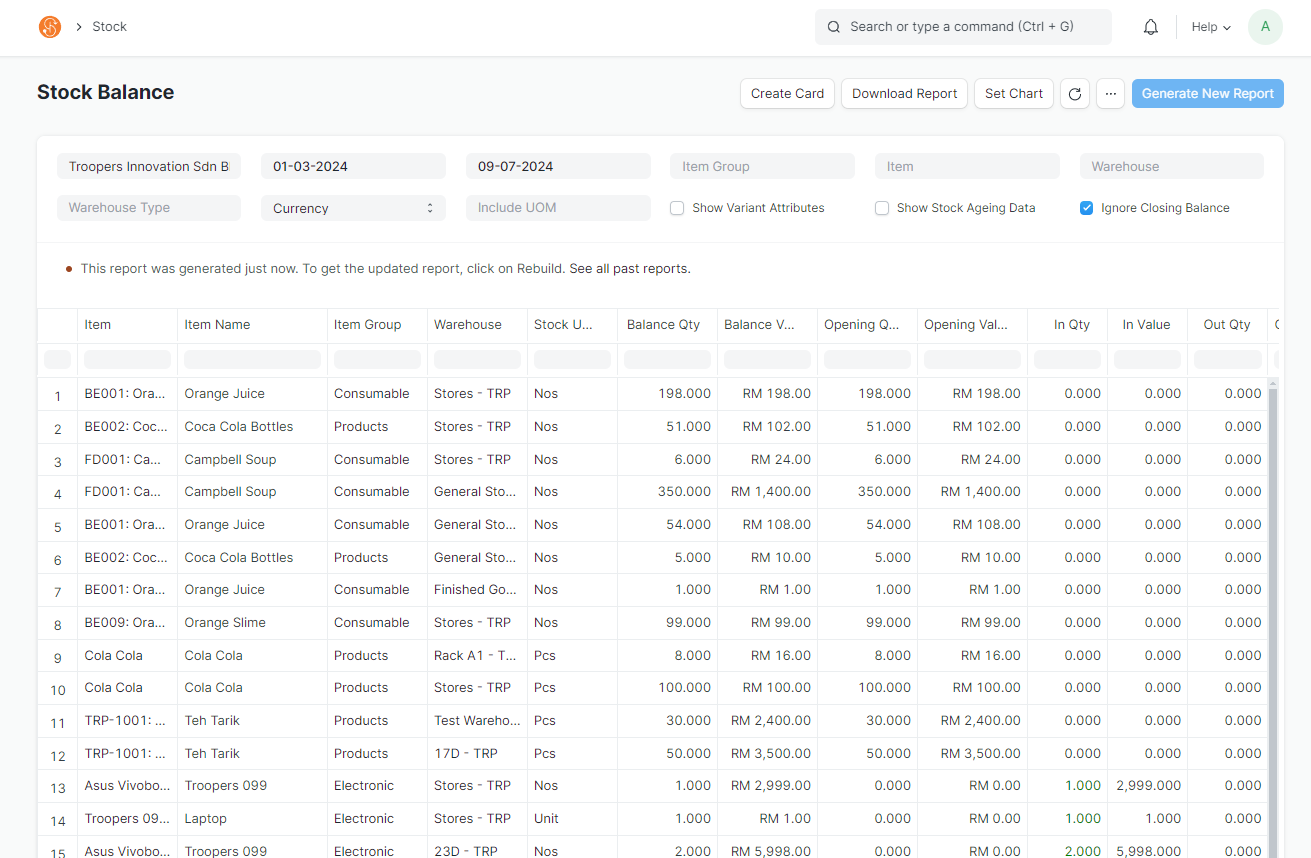](https://guides.smurps.com/uploads/images/gallery/2024-07/0Ndimage.png)**Note:** These stock reports can be exported into Excel or PDF. To do so, click on Menu > Export or PDF
[](https://guides.smurps.com/uploads/images/gallery/2024-07/LLjimage.png)