Bank Reconciliation
Bank reconciliation ensures that the transactions recorded in SMURPS match those on your bank statement. Differences often occur because cheques or payments have not yet cleared.
To reconcile a bank account:
- Open Bank Clearance and select the Bank Account and a Date Range.
- Click Get Payment Entries to list all unreconciled payment entries and journal entries within the chosen period.
- Compare each entry with your bank statement. For payments that have cleared, enter the Clearance Date.
- Once all applicable entries have clearance dates, verify that the Balance as per bank matches your statement. Any mismatch indicates missing or incorrectly dated entries, which should be reviewed.
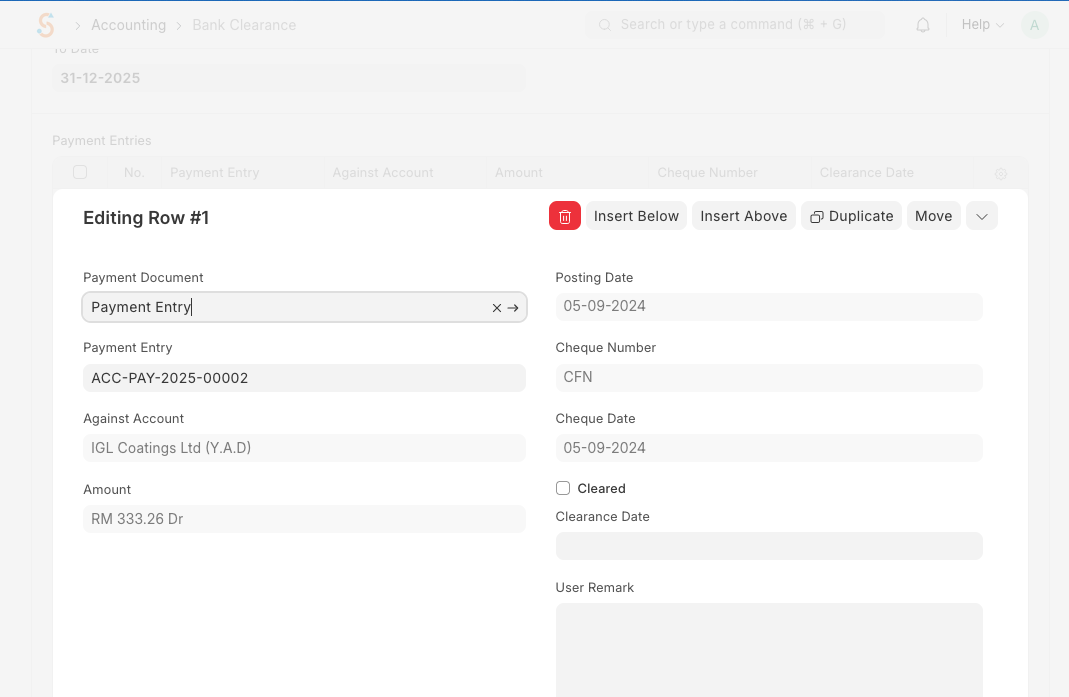
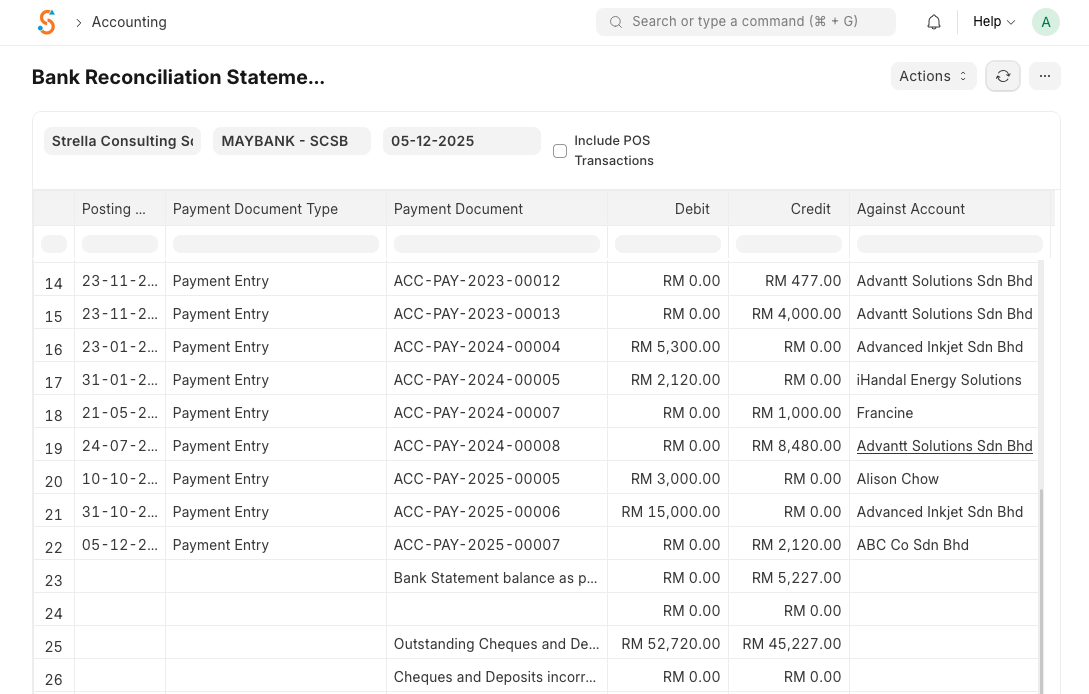
Bank reconciliation reports show the balance as per bank statement and balance as per SMURPS. Updating clearance dates adjusts the bank balance in the general ledger, ensuring your books reflect the actual bank position.
No comments to display
No comments to display