Journal Entry
A Journal Entry in SMURPS is a generic transaction used to record accounting events that aren’t handled by invoices or payment entries. Each journal entry affects at least two accounts, and the sum of debits must equal the sum of credits.
To create a Journal Entry:
- Go to Home → Accounting → General Ledger → Journal Entry and click New.
- The Entry Type defaults to Journal Entry; change it if needed.
- Set the Posting Date.
- In the Accounting Entries table, add rows for each account being debited or credited. Specify the Account, Party Type (for receivables/payables), Party, and amounts. The total debit must match the total credit.
- Click Save and then Submit to post the entry.
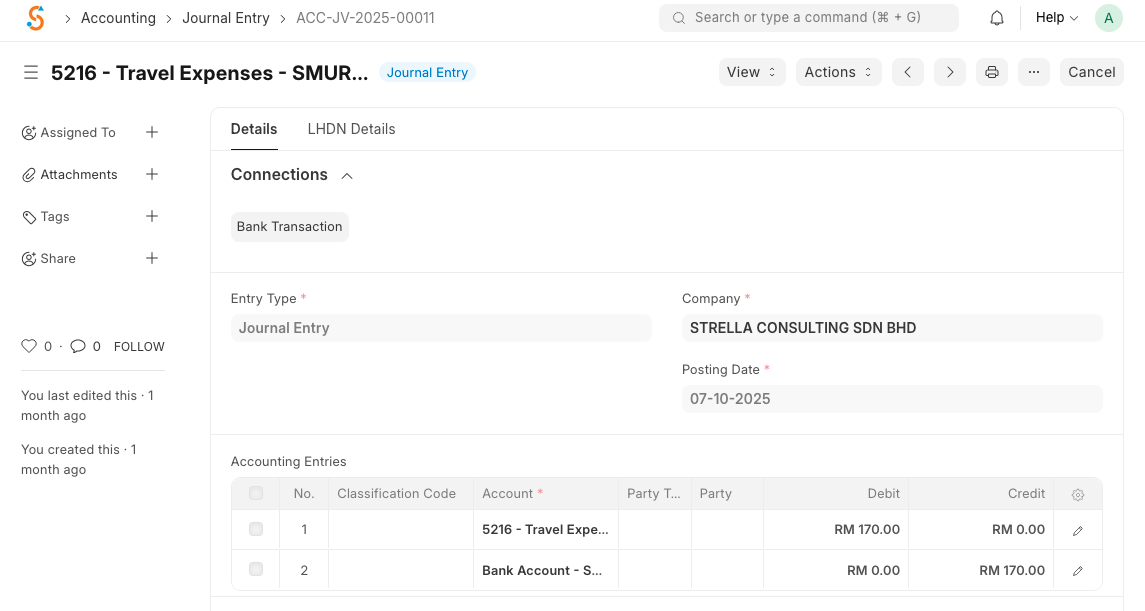
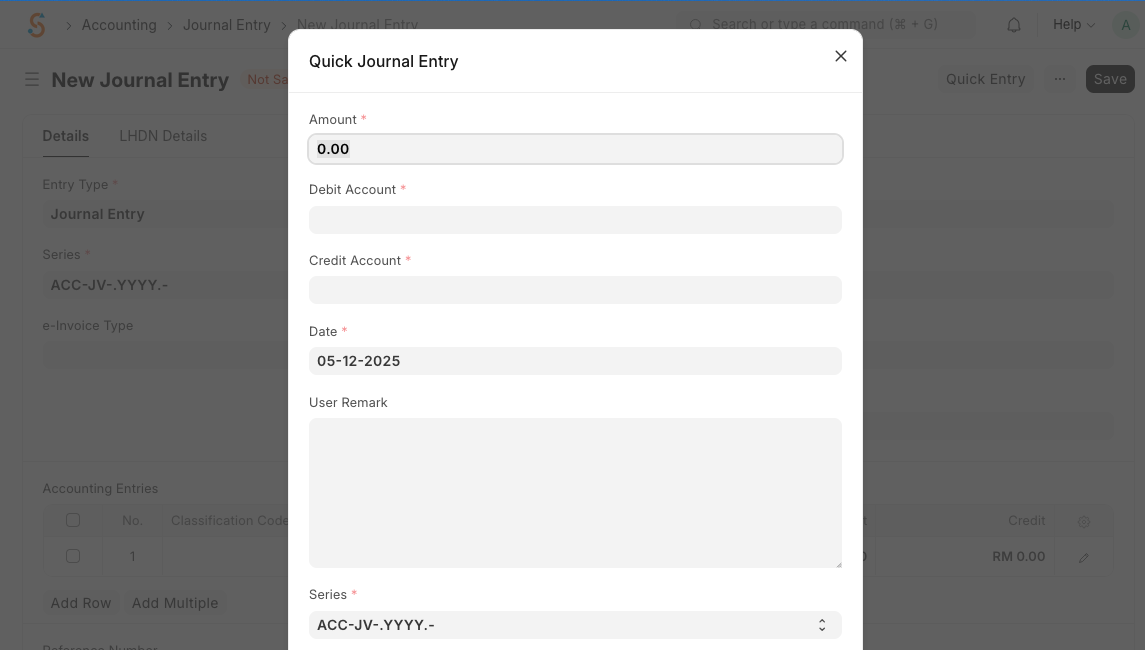
The Quick Entry button lets you create simple journal entries by entering an amount, choosing the debit and credit accounts and adding a remark; it auto‑fills the entries table. You can also link the journal entry to another document via the Reference Type and Reference Name fields, reverse an entry using Reverse Journal Entry, or have the system automatically add a balancing line with Make Difference Entry. For multi‑currency transactions, tick Multi Currency and specify the exchange rates.
No comments to display
No comments to display